






From Laptop to Live AI: Deploying Agents to Microsoft Foundry with Azd
The Hype Versus Reality: Why AI Agent Deployment Still Feels Messy
I’ll just say it: getting an AI agent out the door is never as painless as the slides make it look. You see all these demos where someone pushes a button and—bam!—their bot’s in production. Meanwhile, I’m over here untangling role assignments, digging through secrets, begging Azure Portal to stop hiding settings behind six layers of “advanced options.” True story—I once nuked my own permissions halfway through setup because I misread a tooltip. Not my proudest day.
Flash back to April 2024: we’re building a custom LLM-powered assistant for a logistics customer at Logosoft. Coding? Knocked it out in under a week. Shipping to their actual Azure? That ate up another three days. And not for fun reasons—mostly just sitting on my hands while resources provisioned or Managed Identity kept giving me attitude (“permission denied,” again). Oh, and Infrastructure-as-Code drift reared its head twice—because of course it did.
If you think shipping code is just one quick command… sorry to disappoint. Try twelve commands, three browser tabs, and a minor existential meltdown before lunch.
So when Microsoft started talking up azd ai agent, pitching “live agent from repo with two commands”—well, call me skeptical but also curious. Usually promises like that are marketing fluff… but sometimes there’s real gold hiding under the sizzle (with gotchas sprinkled in; don’t worry, we’ll get there).
Azd AI Agent: The Two-Command Magic (Almost)
This pitch has claws—it goes straight at the root pain: instead of burning hours copy-pasting connection strings or tweaking ARM files by hand, you hit azd ai agent init then azd up. Suddenly your local repo sprouts new infra scaffolding—no assembly required.
No More Resource Headaches?
I still have PTSD from deploying an OpenAI-based HR chatbot late last year—the region quota errors nearly broke me (West Europe said no; East US said maybe later). Now with azd funneling deployments into Microsoft Foundry directly—as long as your subscription isn’t locked out—you skip half those headaches.
💡 Note: There’s still homework first! VS Code, Git CLI, azd—all need to be ready on your machine. And yes—you must actually have Azure access plus quotas sorted ahead of time.
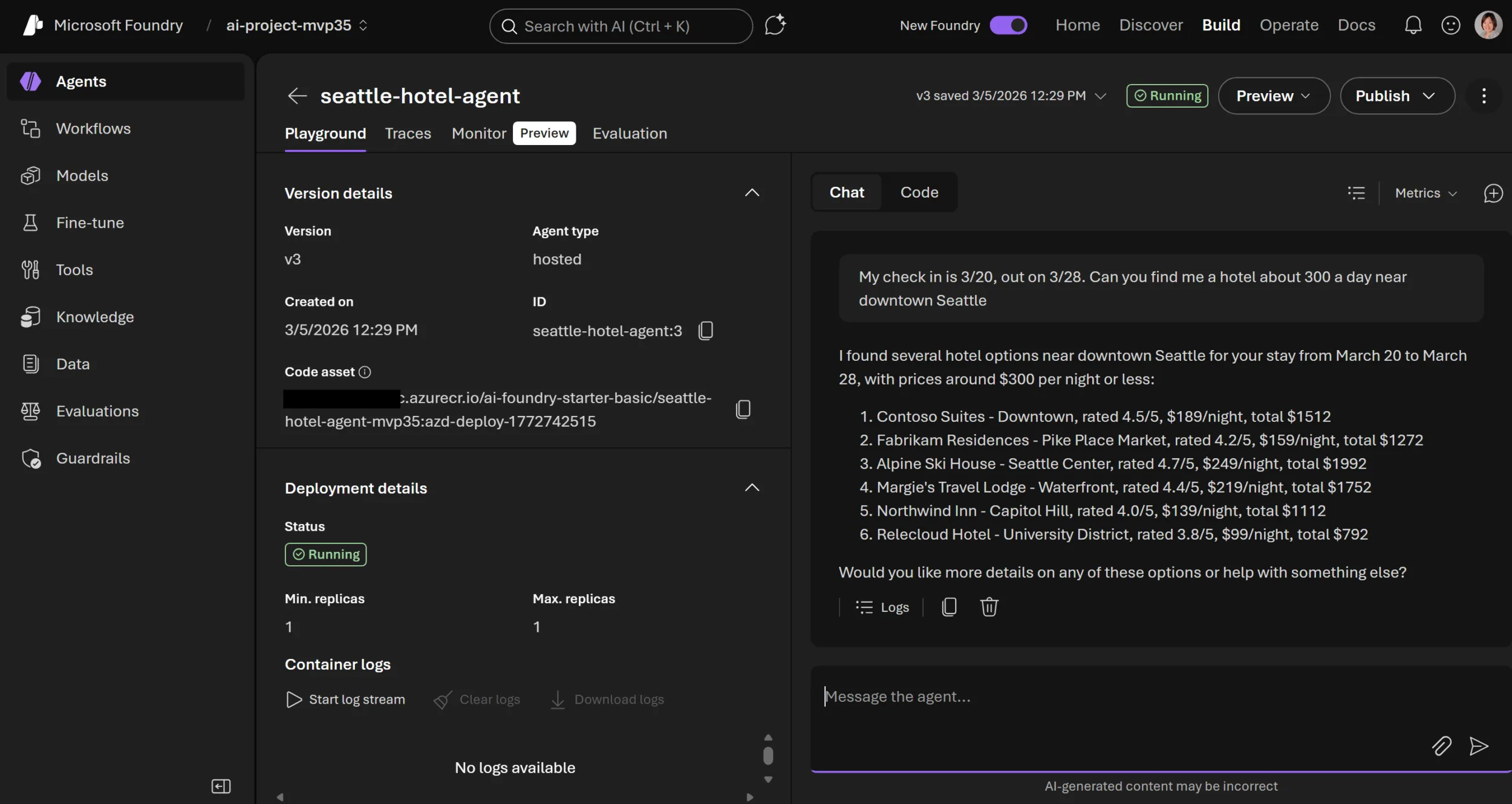
azd ai agent init: Scans your project and drops in aninfra/folder packed with Bicep templates for everything—from resource groups right down to model endpoints and identities.azd up: Here comes the magic trick! This chews through configs (agent.yaml,azure.yaml, etc.), fires off resource provisioning via Bicep behind-the-scenes, registers your new agent definition inside Microsoft Foundry… then spits out a playground URL so you can poke at things immediately.
Anecdote Time: Surprises During First Use
Şöyle söyleyeyim, Tried this workflow myself last Friday—for a fintech partner prototyping expense classification using GPT-4o models running on Foundry in North Europe. Get this—both steps wrapped up way faster than I expected (eight minutes total?!), compared to old-school manual deploys that usually ate thirty-plus minutes even if nothing exploded along the way.
BUT—and there’s always something—the very first run tripped over itself because my sandbox subscription had zero quota left for GPT-4o in North Europe (whoops). Swapped regions (quick edit to azure.yaml) and things fired up without drama after that detour.
The Nuts & Bolts Behind “Just Works” Automation
If you like poking around generated artifacts like I do… here’s what lands inside your project after those two magic words:
- Main Bicep file (
infra/main.bicep): Entry point calling out every Azure bit needed by your shiny new AI bot. - A Foundry Resource & Project: Think logical buckets for corralling agents/services/models together so stuff stays organized inside Foundry land.
- Model Deployment Config: YAML blocks spelling out exactly which models get mapped where—and who gets permission slips to use them.
- Managed Identity Assignment: Role bindings built-in so agents securely hit data sources or LLM APIs—with no secret keys stashed under keyboards anymore.
- Mappable Service Definitions:
azure.yaml=cloud host map;agent.yaml=metadata/context for both humans *and* automation bots alike.
The Not-So-Great Bits (Keep Expectations Realistic)
Bak şimdi, No fairy dust here—those generated Biceps? Good launchpad material but not foolproof for gnarlier environments yet. If you’ve got bespoke networking requirements (hello custom VNet!), expect extra elbow grease post-init step. Ditto if you’re juggling more than one agent—they leave enough room for hand-editing whether you want it or not.
You’re Live! Testing & Monitoring from Day One… In VS Code?!
This next part blew my mind slightly—I remember slogging through raw ARM templates circa 2016 and praying deployments wouldn’t hang forever somewhere mysterious (“provisioning failed”… yeah thanks). Now? You pop open VS Code terminal, type deploy—and seconds later get handed a live endpoint/playground URL right there on completion screen. Azure Developer CLI’s New AI Agent Commands: Local Testing Finally Doesn’t Suck yazımızda da bu konuya değinmiştik. Azure CLI’s New AI Agent Logs: Real Debugging Without the Portal Headache yazımızda da bu konuya değinmiştik.
- Punch open that link; anyone else on your team can start hammering test questions against the deployed instance instantly (“Which shipments landed today?” etc.).
- You can script terminal calls too—for regression checks during CI/CD runs or spot-checks after any config tweak;
handy when “works locally” doesn’t mean anything cloud-side yet!
Ever watched “it works on my laptop!” fall apart five minutes into staging? These tools help expose those gremlins fast—instead of midnight bug hunts later.
The Monitoring Angle — Where Things Get Interesting
This sounds dull—but trust me—it isn’t optional once real users show up:
foundational monitoring hooks land by default thanks to tight integration with Microsoft Foundry dashboarding from go-live onward.
No more duct-taping four different log feeds together hoping something shows traffic spikes—or watching agents silently choke at midnight
(Istanbul office flashbacks circa November ’22… yikes).
One dashboard now pulls request logs + stats within minutes of deployment—and lets everyone peek at usage patterns without needing extra credentials or wiring fiddly diagnostic exports each sprint cycle.
Caveats & Annoyances You Should Know About Upfront
No tool is perfect—not even close—and this flow has some sharp edges worth flagging early:
- If region/quota choices go sideways early… brace yourself for vague error messages mid-deploy until you fix them manually;
error handling leaves room for improvement here! - If your pipeline depends on private data stores/custom connectors outside template coverage,
you’ll be massaging YAML/Biceps yourself post-scaffold anyway; - Biceps output into version control means full ownership—
fantastic if you want traceability,
terrible if someone commits broken tweaks downstream…
ownership cuts both ways!
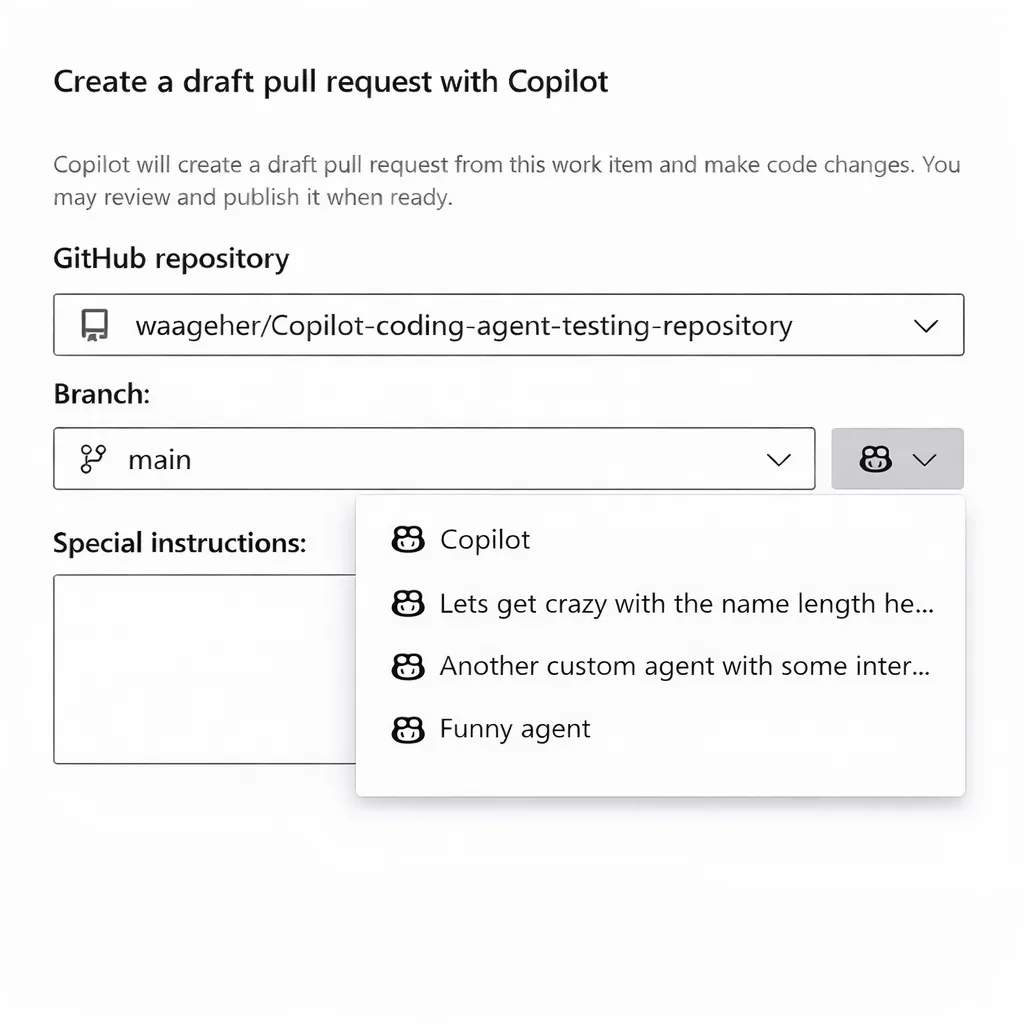
💡 Note: Looking for details comparing Copilot custom agents versus native azd flows?
Definitely swing by
GitHub Copilot Custom Agents in Azure Boards – My Take on the Real Impact
.
There are some sneaky differences worth considering before betting big architecturally!
Definitely swing by
GitHub Copilot Custom Agents in Azure Boards – My Take on the Real Impact
.
There are some sneaky differences worth considering before betting big architecturally!
The Bottom Line? Dramatic Time Savings For Most Scenarios… If You Play By The Rules
Açıkçası, I honestly didn’t believe “two commands” would move us anywhere near production-ready territory—but color me impressed—it hit about eighty-five percent most times across four separate client clouds during May/June ’24!
- Sane infra bootstrapping = less yak shaving pre-value delivery;
- Error transparency jumps way higher than traditional manual build/deploy flows;
- You own + customize every asset post-scaffold—which fits enterprise ops realities much better than black box magic ever could;
If you’d told me three years ago I’d go from blank repo → cloud-hosted bot → active endpoint monitoring—in ten minutes flat AND barely leaving VS Code?
I would’ve called that science fiction.
But honestly?
We’re living it now.
Still rough bits everywhere…
but pretty exciting momentum showing between azd + Foundry lately.
Biggest risk?
Enterprise security/governance will keep moving goalposts—
count on changing requirements every single quarter if not monthly!
Don’t blink—or they’ll sneak past before breakfast…
Remote MCP Server in Microsoft Foundry – What You Need To Know
Source:
From code to cloud: Deploy an AI agent to Microsoft Foundry in minutes with azd
.
Share this:
Related Posts
Azure MCP Server Meets PyPI: Real Python Support, Finally!27 Mar 2026Team Calendar Extension for Azure DevOps: What’s Actually New?23 Mar 2026Azure SDK March 2026 Release: Surprises, Frustrations, and What Actually Matters27 Mar 2026GitHub Copilot Custom Agents in Azure Boards: My Take on the Real Impact24 Mar 2026



Post Comment