






Azure CLI’s New AI Agent Logs: Real Debugging Without the Portal Headache

I’ll skip the fancy intros and just be real with you: debugging a hosted AI agent on Azure? It’s almost never “run, crash, find error, fix.” Usually it’s portal hopscotch, dashboard déjà vu, spinning wheels—then finally you get a log message. Sometimes. Assuming the planets align. But lately… things are getting better for us command-line types.
Why Having Logs in Your Terminal Is Kind of a Big Deal
Dürüst olmak gerekirse, Let me paint a scene: Thursday night in Istanbul (not making this up), November last year. I’m deep in an outage firefight with a fintech client—their shiny Azure OpenAI-powered bot refuses to even start post-deployment. Zero logs showing in console output; Azure Portal was locked in “loading…” purgatory. Meanwhile, support phones are ringing off the hook and people are staring at me like I’m holding Excalibur behind my back.
If someone had offered me one magic shell command to yank live container logs plus status info right there? I’d have bartered away my morning coffee stash without hesitation. At that point it felt impossible—but now, thanks to azd 1.23.7 and the azure.ai.agents extension v0.1.12-preview? Reality check: You really can do that.
Debugging cloud agents shouldn’t feel like solving crossword puzzles blindfolded—these new azd commands finally stack all your clues together, right where you want them.
Ne yalan söyleyeyim, The impact hits home once something melts down at 2am and you realize how many steps just vanished from your troubleshooting ritual.
The Commands That Genuinely Shift How We Work
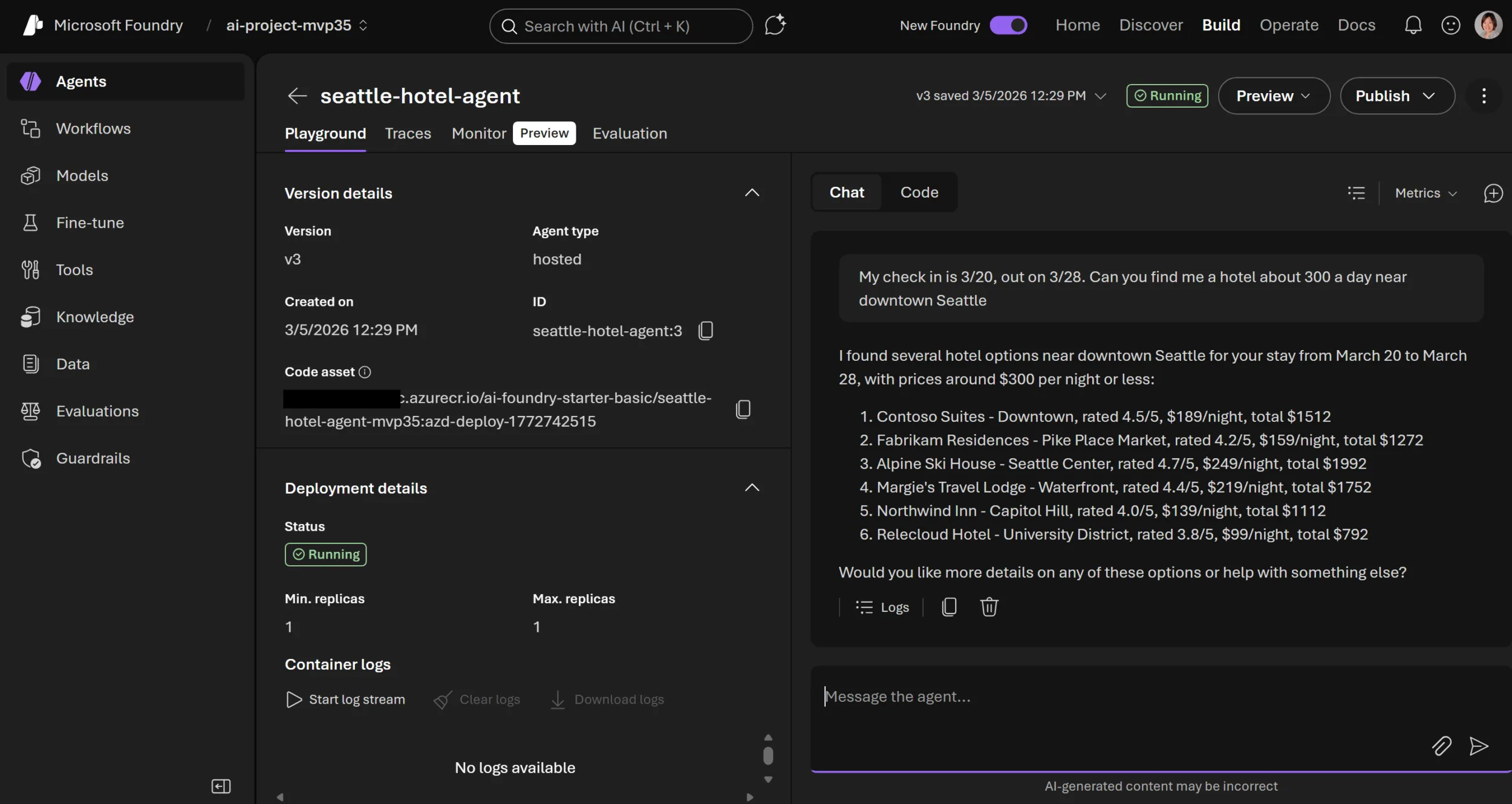
azd ai agent show: Don’t Just Wonder What Broke—See It All Instantly
This is not some vanilla “status” ping—it’s the azd ai agent show. Think of it as the difference between checking if your lights work versus seeing which room burned out, what tripped the breaker, and who left the toaster plugged in:
- You see whether containers are running/stuck/crashed/on fire (figuratively… usually).
- Pumps out health metrics—sometimes almost too detailed—and any errors from recent faceplants.
- If you’re scaling horizontally? Replicas’ states land here too.
- No more endless portal wanderings or playing detective through Resource Explorer tabs just to confirm basic health checks.
You type one command—you know if your agent’s breathing or if its foot fell off during deployment.
💡 Note: Still got bash scripts hitting random Kubernetes endpoints for liveness checks? Go ahead—retire them.
azd ai agent monitor: Finally Some Honest-to-Goodness Live Log Streaming from CLI
This bit honestly caught me by surprise during an internal session at Logosoft HQ last month (yep—March 2024). Just punch this into your terminal:
azd ai agent monitor --name my-agent --version 1 -f
Sit back and watch logs trickle into your terminal live while agents boot or handle requests—no waiting for slow web UIs to unfreeze or swapping windows fifty times per hour anymore.
I’ve used this myself recently—and it already bailed me out three times:
- Busted env vars popped up instantly—instead of postmortems hours later.
- Caught dependency downloads failing halfway through pipeline runs—in real time rather than after-the-fact digging through delayed logs buried deep in Portal pages.
- Troubleshot GPU driver mismatches inside custom containers—all inside Terminal! Didn’t open Chrome once!
A Few Practical Tips Nobody Prints in Official Docs (Yet)
Lesser-Known Filters & Flags That Actually Matter
Barely anyone mentions this outside buried GitHub comments (#6895)—but both these commands happily accept filters like --name, --version, and --type system/user/.... If you’re wrangling several similar agents or staging versions side-by-side—which let’s face it happens constantly—you can slice straight to what matters instead of scrolling endlessly:
# Get current status + last errors:
azd ai agent show --name chatbot-support --version prod-24-03
# Only system-level streaming:
azd ai agent monitor --name chatbot-support --version prod-24-03 --type system
I hit a situation just weeks ago—a retail gig with two near-identical agents stomping over each other’s storage configs because of bad propagation rules—and having instant filtered views spared us hours chasing our own tails around logs that weren’t even relevant half the time. Azure Developer CLI’s App Service Slot Swap: Why I’m Actually Excited yazımızda da bu konuya değinmiştik. Azure SDK February 2026 Update: Surprising Wins, Annoyances, and What’s Next yazımızda da bu konuya değinmiştik.
The Warts — Here Are The Parts I’m Not Wild About
No tool comes out flawless day one—not even close—with azd’s AI monitoring being no exception so far:
- If you run totally custom base images or oddball startup scripts? Log lines might jump around slightly (or duplicate) while tailing real-time (saw this twice since v0.1.12-preview hit… though core devs promise fixes soonish).
- Status/errors sometimes feel blunt (“Agent exited unexpectedly”). For those moments—you still need good ol’ kubectl dives or direct poking around inside Portal resource graphs to get real answers fast enough for critical escalations.
- The UX when streaming across many regions/agents needs polish—you’ll end up juggling multiple terminals for big estates unless batch querying lands soon! Here’s hoping… would make life easier on big ops teams especially!
The View From Ten Thousand Feet (For Dev Teams Using Azure)
Açık konuşayım, If you’ve seen my earlier writeup (Azure Developer CLI’s New AI Agent Commands: Local Testing Finally Doesn’t Suck) then you know pre-existing local test/dev cycles were often completely disconnected from what actually happened post-cloud deploys—especially anything Foundry-based or running complex build chains behind opaque portals. These azd extensions bridge that reality gap far better than anything else I’ve touched yet this year.
Every context switch between laptop testing and production cloud debugging is another chance for gremlins to sneak bugs past tired eyes.
No way does any of this fully replace hands-on troubleshooting muscle memory—for ugly problems at scale (random resource caps blowing up, mystery networking failures), old tricks still rule supreme…and admin rights remain essential gear! But day-to-day incidents? Most mid-level headbangers melt away with these tools—I’ve literally whined about fewer Monday outages ever since we adopted them internally.
Your On-Ramp — Getting Upgraded Fast
- If you’re already living on azd >=1.23.7,
Do this:azd extension upgrade azure.ai.agents - Total newcomer?
Download via Microsoft docs.
Then go straight here:azd ai agent init(Takes less than two minutes tops—as long as credentials aren’t misbehaving.)
- If something doesn’t click? Pop over to GitHub Discussions—they’re surprisingly chatty these days.
Or sign yourself up for user research calls if giving feedback before features land is your thing.
💡 Note: Looking for workflow walkthroughs end-to-end? My field guide covers exactly that over here:
From Laptop to Live AI Agents With Azd & Foundry – My Field Notes From Recent Deployments!.
From Laptop to Live AI Agents With Azd & Foundry – My Field Notes From Recent Deployments!.
Sizing It Up?
Yani, If managing AI workloads on Azure has been raising your blood pressure—I hear you! Seriously! These new azd extensions deserve first crack before rolling out anything major next sprint.
Magic wands don’t exist…but chopping down pointless window/tab/context hopping buys precious minutes back every incident.
Got horror stories about cloud debugging—or wishlist items nobody at Microsoft seems brave enough to ship yet?
Ping me anytime! Maybe we’ll crowdsource our own upgrades next round…
Stay sharp,
Aşkın
Source: Azure Developer CLI (azd): Debug hosted AI agents from your terminal
Share this:
Related Posts
JMESPath in Azure Developer CLI: Filtering JSON Output Without Tears27 Mar 2026Azure Developer CLI’s New AI Agent Commands: Local Testing Finally Doesn’t Suck25 Mar 2026Azure SDK March 2026 Release: Surprises, Frustrations, and What Actually Matters27 Mar 2026Team Calendar Extension for Azure DevOps: What’s Actually New?23 Mar 2026



Post Comment